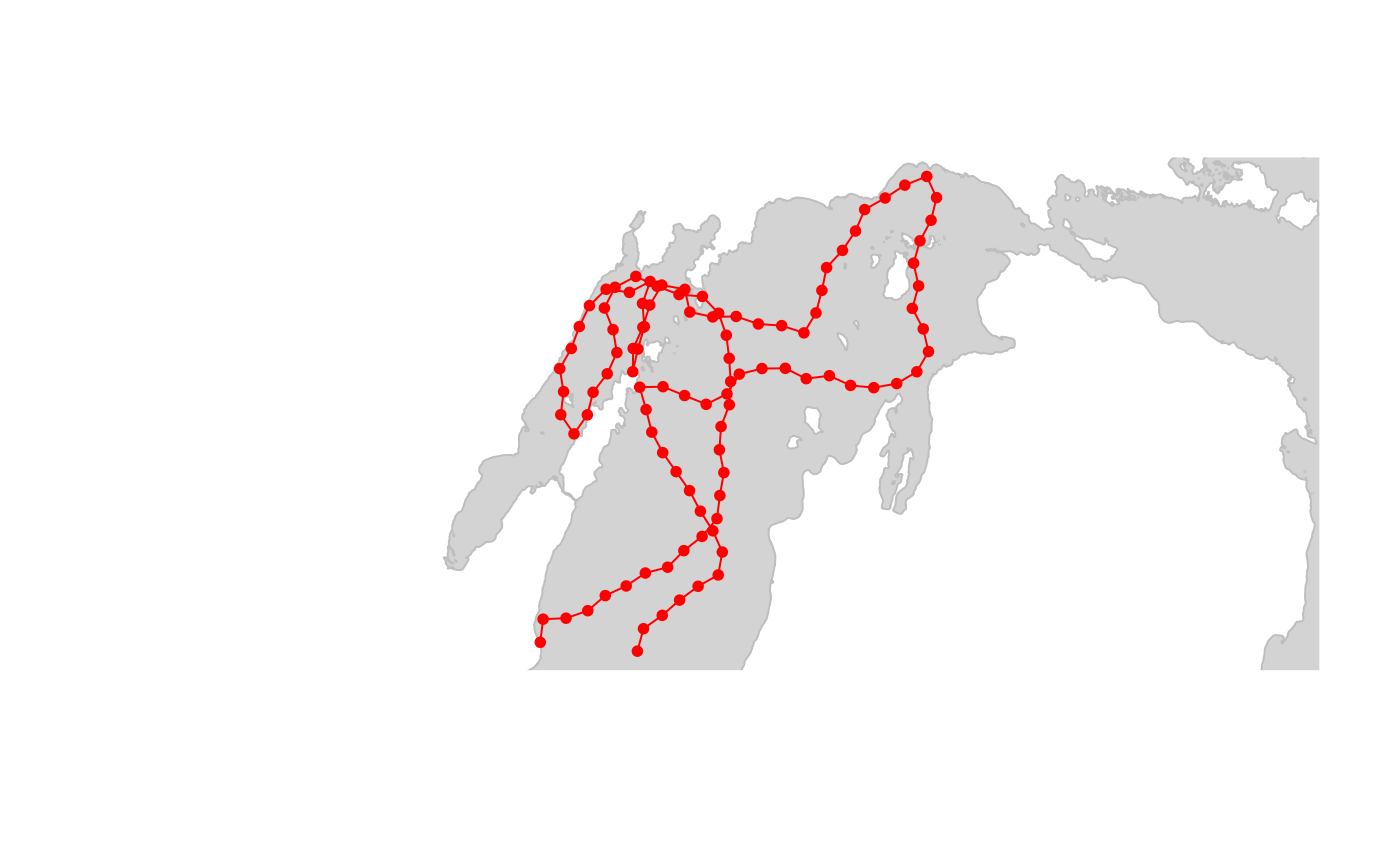
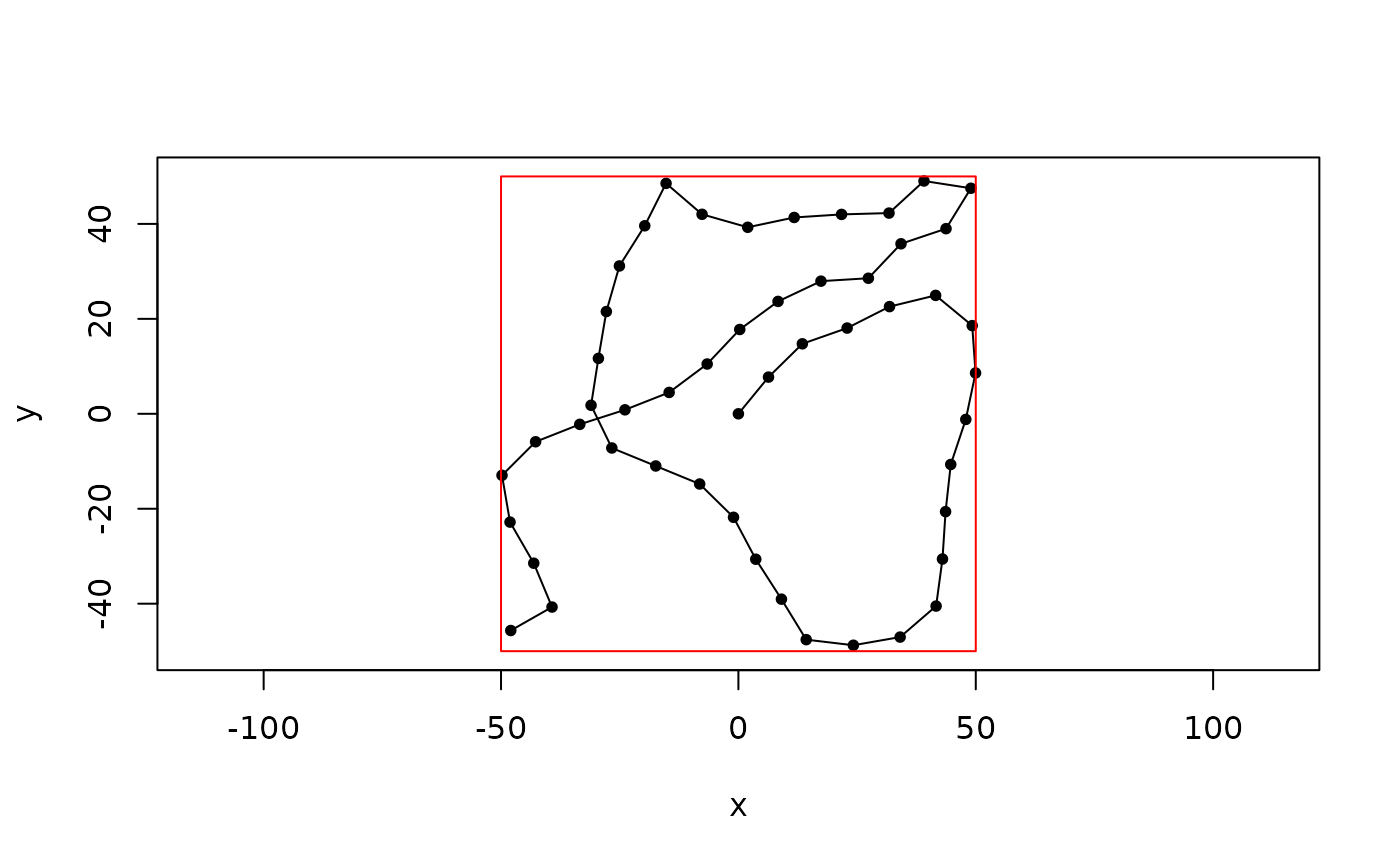
Uses crw() to simulate a random walk as series of equal-length steps
with turning angles drawn from a normal distribution inside a polygon.
Arguments
- polyg
A spatial polygon object of class
sf::sf()orsf::sfc()containingPOLYGONorMULTIPOLYGONfeatures (butSpatialPolygonsDataFrameandSpatialPolygonsare also accepted);
OR
A polygon defined as data frame or matrix with numeric columns x and y.- theta
A 2-element numeric vector with turn angle parameters (
theta[1]= mean;theta[2]= sd), in degrees, from normal distribution.- stepLen
A numeric scalar with total distance moved in each step, in meters.
- initPos
A 2-element numeric vector with initial position (
initPos[1]=x,initPos[2]=y) in same coordinate reference system aspolyg.- initHeading
A numeric scalar with initial heading in degrees. E.g., 0 = North; 90 = East, 180 = South, 270 = West; etc.
- nsteps
A numeric scalar with number of steps to simulate.
- inputCRS
A
crsobject or numeric EPSG code of coordinate system of inputpolyg. Only used ifpolygdoes not contain acrs. If missing, thenpolygis assumed in an arbitrary Cartesian (projected) system with base unit of one meter.- cartesianCRS
Coordinate reference system used for simulations. Must be a Cartesian (projected) coordinate system. Must be given when input CRS is non-Cartesian (e.g., long-lat); optional otherwise. See Note.
- sp_out
Logical. If TRUE (default) then output is an
sfobject. If FALSE, then output is adata.frame.- show_progress
Logical. Progress bar and status messages will be shown if TRUE (default) and not shown if FALSE.
Value
When sp_out = TRUE, an sf object containing one
POINT feature for each vertex in the simulated path.
OR
When sp_out = FALSE, a two-column data frame containing:
- x
x coordinates
- y
y coordinates
in the same units as
polyg.
Details
If initPos = NA, then a starting point is randomly selected within
the polygon boundary. A path is simulated forward using crw().
Initial heading is also randomly selected if initHeading = NA. When
a step crosses the polygon boundary, a new heading for that step is drawn
and the turn angle standard deviation is enlarged slightly for each
subsequent point that lands outside the polygon.
If input polyg object is a data.frame with x and y columns and
sp_out = TRUE, then output object
coordinate system is defined by inputCRS. Coordinate system on output
will be same as input if polyg contains a valid CRS.
Note
The path is constructed in segments based on the minimum distance between the previous point and the closest polygon boundary.
Simulations are conducted within the coordinate system specified by
argument cartesianCRS.
EPSG 3175 (cartesianCRS = 3175) is recommended projected
coordinate system for the North American Great Lakes Basin and St. Lawrence
River system.
https://spatialreference.org/ref/epsg/nad83-great-lakes-and-st-lawrence-albers/.
Author
C. Holbrook cholbrook@glfc.org
Examples
# Example 1 - data.frame input
mypolygon <- data.frame(x = c(-50, -50, 50, 50), y = c(-50, 50, 50, -50))
path_df <- crw_in_polygon(mypolygon,
theta = c(0, 20), stepLen = 10,
initPos = c(0, 0), initHeading = 0, nsteps = 50, sp_out = FALSE
)
#> Simulating tracks...
#>
|
| | 0%
|
|======== | 12%
|
|========= | 13%
|
|=========== | 15%
|
|============ | 17%
|
|============= | 19%
|
|=============== | 21%
|
|================ | 23%
|
|================== | 25%
|
|=================== | 27%
|
|==================== | 29%
|
|====================== | 31%
|
|======================= | 33%
|
|========================== | 37%
|
|============================== | 42%
|
|================================== | 48%
|
|====================================== | 54%
|
|======================================= | 56%
|
|======================================== | 58%
|
|=========================================== | 62%
|
|============================================ | 63%
|
|============================================== | 65%
|
|=============================================== | 67%
|
|================================================ | 69%
|
|================================================== | 71%
|
|==================================================== | 75%
|
|========================================================= | 81%
|
|============================================================== | 88%
|
|=============================================================== | 90%
|
|================================================================= | 92%
|
|================================================================== | 94%
|
|=================================================================== | 96%
|
|===================================================================== | 98%
#> Done.
class(path_df) # note object is data.frame
#> [1] "data.frame"
plot(path_df,
type = "o", pch = 20, asp = c(1, 1),
xlim = range(mypolygon$x), ylim = range(mypolygon$y)
)
polygon(mypolygon, border = "red")
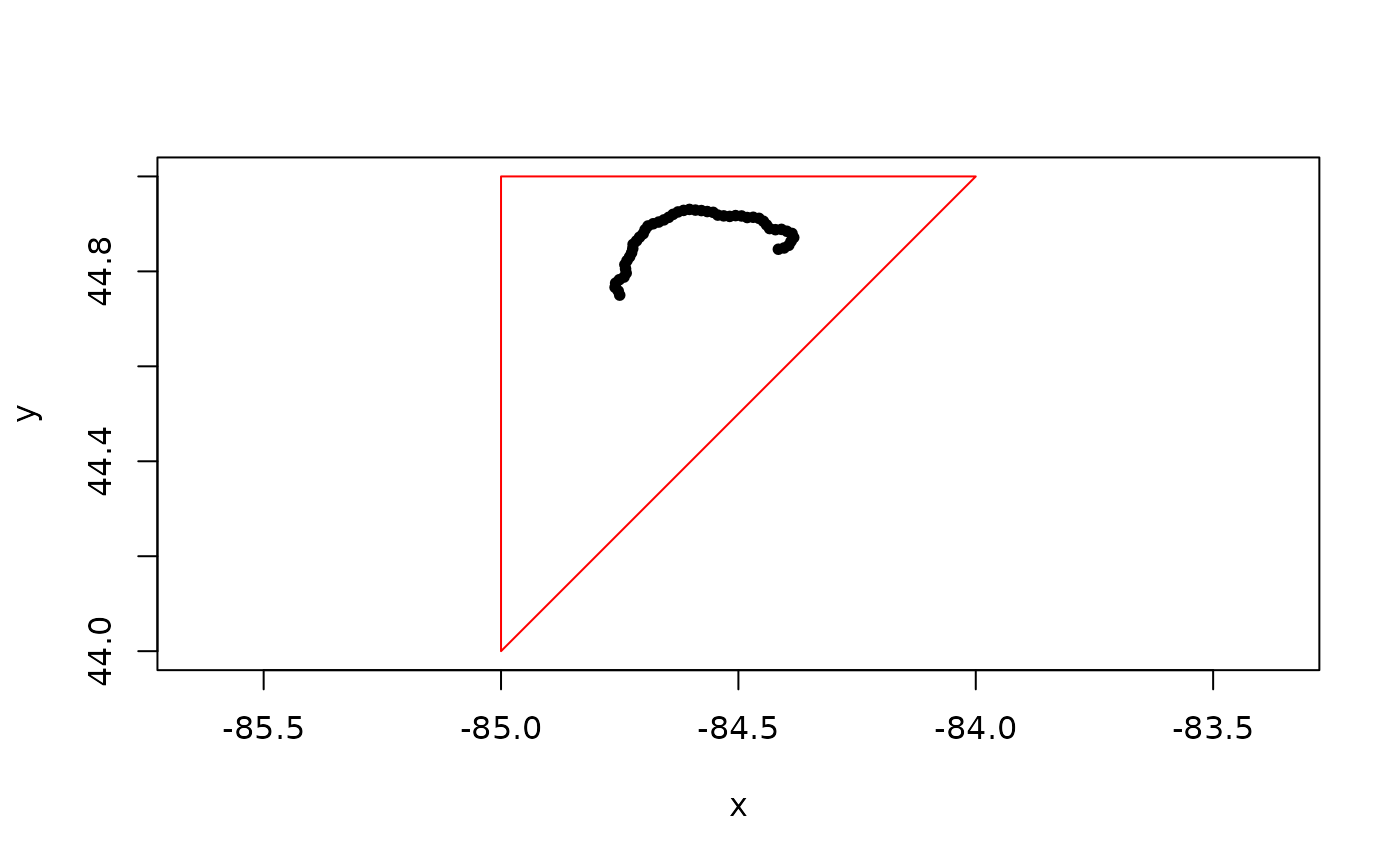
 # Example 2 - data.frame input; input CRS specified
mypolygon <- data.frame(
x = c(-84, -85, -85, -84),
y = c(45, 44, 45, 45)
)
path_df <- crw_in_polygon(mypolygon,
theta = c(0, 20),
stepLen = 1000,
initPos = c(-84.75, 44.75),
initHeading = 0,
nsteps = 50,
inputCRS = 4326,
cartesianCRS = 3175,
sp_out = FALSE
)
#> Simulating tracks...
#>
|
| | 0%
|
|============================ | 40%
|
|=========================================== | 62%
|
|========================================================= | 81%
|
|===================================================================== | 98%
#> Done.
plot(path_df,
type = "o", pch = 20, asp = c(1, 1),
xlim = range(mypolygon$x), ylim = range(mypolygon$y)
)
class(path_df) # note object is data.frame
#> [1] "data.frame"
polygon(mypolygon, border = "red")
# Example 2 - data.frame input; input CRS specified
mypolygon <- data.frame(
x = c(-84, -85, -85, -84),
y = c(45, 44, 45, 45)
)
path_df <- crw_in_polygon(mypolygon,
theta = c(0, 20),
stepLen = 1000,
initPos = c(-84.75, 44.75),
initHeading = 0,
nsteps = 50,
inputCRS = 4326,
cartesianCRS = 3175,
sp_out = FALSE
)
#> Simulating tracks...
#>
|
| | 0%
|
|============================ | 40%
|
|=========================================== | 62%
|
|========================================================= | 81%
|
|===================================================================== | 98%
#> Done.
plot(path_df,
type = "o", pch = 20, asp = c(1, 1),
xlim = range(mypolygon$x), ylim = range(mypolygon$y)
)
class(path_df) # note object is data.frame
#> [1] "data.frame"
polygon(mypolygon, border = "red")
 # Example 3 - sf POLYGON input
data(great_lakes_polygon)
# simulate in great lakes polygon
path_sf <- crw_in_polygon(great_lakes_polygon,
theta = c(0, 25),
stepLen = 10000,
initHeading = 0,
nsteps = 100,
cartesianCRS = 3175
)
#> Simulating tracks...
#>
|
| | 0%
|
|=== | 4%
|
|===== | 7%
|
|===== | 8%
|
|====== | 9%
|
|======== | 11%
|
|========== | 14%
|
|========== | 15%
|
|=========== | 16%
|
|============ | 17%
|
|============ | 18%
|
|============= | 19%
|
|============== | 20%
|
|============== | 21%
|
|================ | 23%
|
|================== | 25%
|
|=================== | 26%
|
|=================== | 27%
|
|==================== | 28%
|
|===================== | 29%
|
|===================== | 30%
|
|====================== | 31%
|
|======================= | 32%
|
|======================= | 33%
|
|======================== | 34%
|
|========================= | 35%
|
|========================= | 36%
|
|========================== | 37%
|
|=========================== | 38%
|
|=========================== | 39%
|
|============================ | 40%
|
|============================= | 41%
|
|============================== | 42%
|
|============================== | 43%
|
|=============================== | 44%
|
|================================ | 45%
|
|================================ | 46%
|
|================================= | 47%
|
|================================== | 48%
|
|=================================== | 50%
|
|==================================== | 51%
|
|==================================== | 52%
|
|===================================== | 53%
|
|====================================== | 55%
|
|======================================== | 58%
|
|=========================================== | 62%
|
|============================================ | 63%
|
|============================================= | 64%
|
|============================================== | 66%
|
|=============================================== | 68%
|
|================================================ | 69%
|
|================================================= | 70%
|
|================================================= | 71%
|
|================================================== | 72%
|
|=================================================== | 73%
|
|==================================================== | 75%
|
|====================================================== | 77%
|
|========================================================== | 82%
|
|============================================================== | 89%
|
|=============================================================== | 90%
|
|================================================================ | 91%
|
|================================================================= | 92%
|
|================================================================= | 93%
|
|================================================================== | 94%
|
|=================================================================== | 95%
|
|=================================================================== | 96%
|
|==================================================================== | 97%
|
|===================================================================== | 98%
|
|===================================================================== | 99%
#> Done.
# plot
plot(sf::st_geometry(great_lakes_polygon),
col = "lightgrey",
border = "grey"
)
points(sf::st_coordinates(path_sf), type = "o", pch = 20, col = "red")
# Example 3 - sf POLYGON input
data(great_lakes_polygon)
# simulate in great lakes polygon
path_sf <- crw_in_polygon(great_lakes_polygon,
theta = c(0, 25),
stepLen = 10000,
initHeading = 0,
nsteps = 100,
cartesianCRS = 3175
)
#> Simulating tracks...
#>
|
| | 0%
|
|=== | 4%
|
|===== | 7%
|
|===== | 8%
|
|====== | 9%
|
|======== | 11%
|
|========== | 14%
|
|========== | 15%
|
|=========== | 16%
|
|============ | 17%
|
|============ | 18%
|
|============= | 19%
|
|============== | 20%
|
|============== | 21%
|
|================ | 23%
|
|================== | 25%
|
|=================== | 26%
|
|=================== | 27%
|
|==================== | 28%
|
|===================== | 29%
|
|===================== | 30%
|
|====================== | 31%
|
|======================= | 32%
|
|======================= | 33%
|
|======================== | 34%
|
|========================= | 35%
|
|========================= | 36%
|
|========================== | 37%
|
|=========================== | 38%
|
|=========================== | 39%
|
|============================ | 40%
|
|============================= | 41%
|
|============================== | 42%
|
|============================== | 43%
|
|=============================== | 44%
|
|================================ | 45%
|
|================================ | 46%
|
|================================= | 47%
|
|================================== | 48%
|
|=================================== | 50%
|
|==================================== | 51%
|
|==================================== | 52%
|
|===================================== | 53%
|
|====================================== | 55%
|
|======================================== | 58%
|
|=========================================== | 62%
|
|============================================ | 63%
|
|============================================= | 64%
|
|============================================== | 66%
|
|=============================================== | 68%
|
|================================================ | 69%
|
|================================================= | 70%
|
|================================================= | 71%
|
|================================================== | 72%
|
|=================================================== | 73%
|
|==================================================== | 75%
|
|====================================================== | 77%
|
|========================================================== | 82%
|
|============================================================== | 89%
|
|=============================================================== | 90%
|
|================================================================ | 91%
|
|================================================================= | 92%
|
|================================================================= | 93%
|
|================================================================== | 94%
|
|=================================================================== | 95%
|
|=================================================================== | 96%
|
|==================================================================== | 97%
|
|===================================================================== | 98%
|
|===================================================================== | 99%
#> Done.
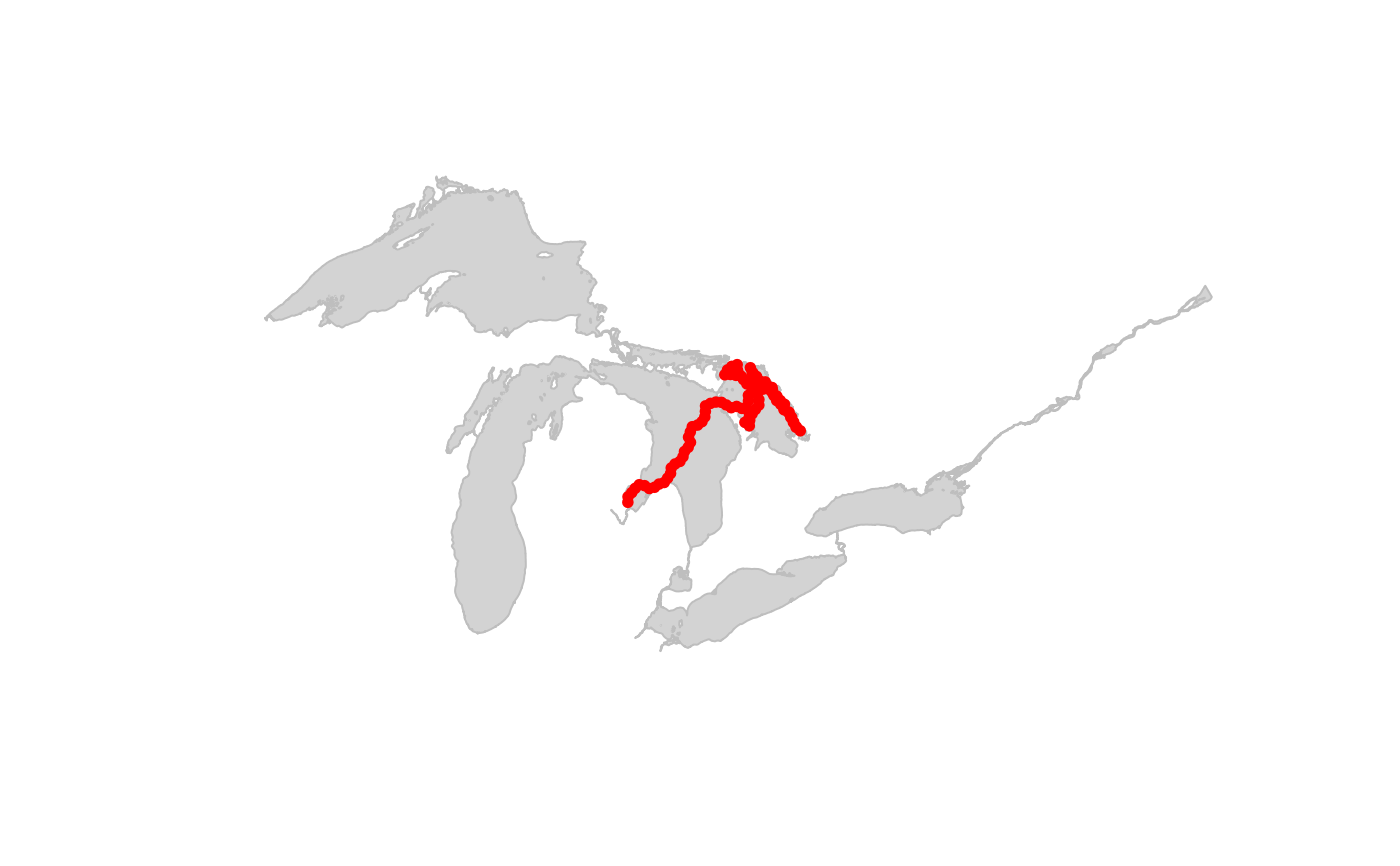
# plot
plot(sf::st_geometry(great_lakes_polygon),
col = "lightgrey",
border = "grey"
)
points(sf::st_coordinates(path_sf), type = "o", pch = 20, col = "red")
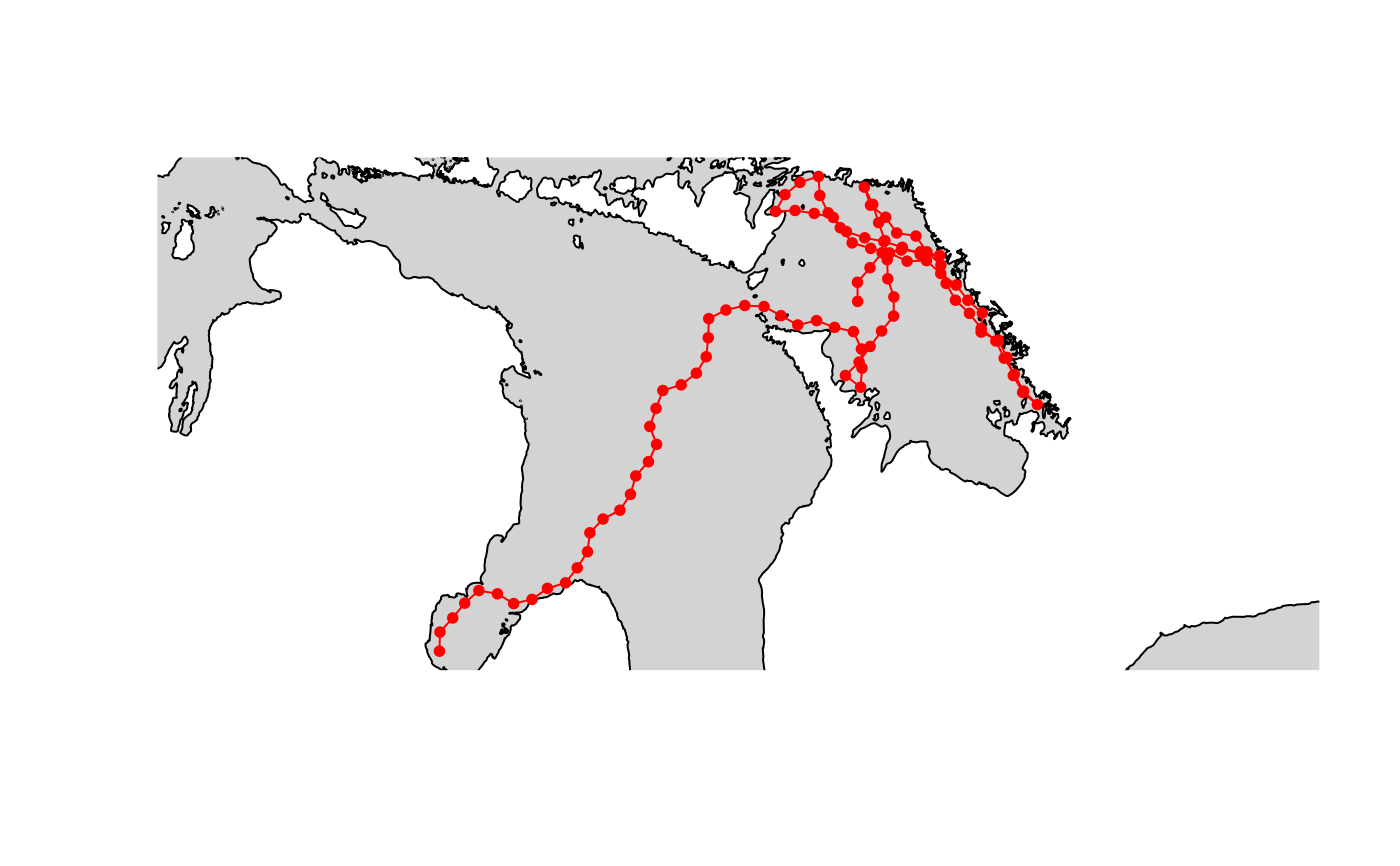
 # zoom in
plot(sf::st_geometry(great_lakes_polygon),
col = "lightgrey",
xlim = sf::st_bbox(path_sf)[c("xmin", "xmax")],
ylim = sf::st_bbox(path_sf)[c("ymin", "ymax")]
)
points(sf::st_coordinates(path_sf), type = "o", pch = 20, col = "red")
# zoom in
plot(sf::st_geometry(great_lakes_polygon),
col = "lightgrey",
xlim = sf::st_bbox(path_sf)[c("xmin", "xmax")],
ylim = sf::st_bbox(path_sf)[c("ymin", "ymax")]
)
points(sf::st_coordinates(path_sf), type = "o", pch = 20, col = "red")
 # Example 4 - SpatialPolygonsDataFrame input
data(greatLakesPoly)
# simulate in great lakes polygon
path_sp <- crw_in_polygon(greatLakesPoly,
theta = c(0, 25),
stepLen = 10000,
initHeading = 0,
nsteps = 100,
cartesianCRS = 3175,
sp_out = TRUE
)
#> Simulating tracks...
#>
|
| | 0%
|
|==== | 6%
|
|====== | 9%
|
|========= | 13%
|
|========== | 15%
|
|=========== | 16%
|
|============ | 17%
|
|============= | 19%
|
|=============== | 22%
|
|================ | 24%
|
|================== | 25%
|
|=================== | 26%
|
|=================== | 27%
|
|==================== | 28%
|
|===================== | 29%
|
|===================== | 30%
|
|====================== | 31%
|
|======================= | 32%
|
|======================= | 33%
|
|======================== | 34%
|
|========================= | 35%
|
|========================= | 36%
|
|========================== | 37%
|
|=========================== | 38%
|
|=========================== | 39%
|
|============================ | 40%
|
|============================= | 41%
|
|============================== | 42%
|
|============================== | 43%
|
|================================ | 45%
|
|================================= | 47%
|
|=================================== | 50%
|
|==================================== | 51%
|
|==================================== | 52%
|
|===================================== | 53%
|
|====================================== | 55%
|
|======================================= | 56%
|
|======================================== | 57%
|
|======================================== | 58%
|
|========================================= | 59%
|
|========================================== | 60%
|
|=========================================== | 61%
|
|=========================================== | 62%
|
|============================================ | 63%
|
|============================================= | 64%
|
|============================================= | 65%
|
|============================================== | 66%
|
|=============================================== | 67%
|
|=============================================== | 68%
|
|================================================ | 69%
|
|================================================= | 70%
|
|================================================= | 71%
|
|================================================== | 72%
|
|=================================================== | 73%
|
|=================================================== | 74%
|
|===================================================== | 75%
|
|====================================================== | 76%
|
|====================================================== | 77%
|
|======================================================= | 78%
|
|======================================================== | 79%
|
|======================================================== | 80%
|
|========================================================= | 81%
|
|========================================================== | 83%
|
|============================================================ | 86%
|
|============================================================== | 89%
|
|================================================================= | 92%
|
|==================================================================== | 97%
|
|===================================================================== | 98%
|
|===================================================================== | 99%
#> Done.
# plot
plot(sf::st_as_sfc(greatLakesPoly), col = "lightgrey", border = "grey")
points(sf::st_coordinates(sf::st_as_sf(path_sp)),
type = "o", pch = 20,
col = "red"
)
# Example 4 - SpatialPolygonsDataFrame input
data(greatLakesPoly)
# simulate in great lakes polygon
path_sp <- crw_in_polygon(greatLakesPoly,
theta = c(0, 25),
stepLen = 10000,
initHeading = 0,
nsteps = 100,
cartesianCRS = 3175,
sp_out = TRUE
)
#> Simulating tracks...
#>
|
| | 0%
|
|==== | 6%
|
|====== | 9%
|
|========= | 13%
|
|========== | 15%
|
|=========== | 16%
|
|============ | 17%
|
|============= | 19%
|
|=============== | 22%
|
|================ | 24%
|
|================== | 25%
|
|=================== | 26%
|
|=================== | 27%
|
|==================== | 28%
|
|===================== | 29%
|
|===================== | 30%
|
|====================== | 31%
|
|======================= | 32%
|
|======================= | 33%
|
|======================== | 34%
|
|========================= | 35%
|
|========================= | 36%
|
|========================== | 37%
|
|=========================== | 38%
|
|=========================== | 39%
|
|============================ | 40%
|
|============================= | 41%
|
|============================== | 42%
|
|============================== | 43%
|
|================================ | 45%
|
|================================= | 47%
|
|=================================== | 50%
|
|==================================== | 51%
|
|==================================== | 52%
|
|===================================== | 53%
|
|====================================== | 55%
|
|======================================= | 56%
|
|======================================== | 57%
|
|======================================== | 58%
|
|========================================= | 59%
|
|========================================== | 60%
|
|=========================================== | 61%
|
|=========================================== | 62%
|
|============================================ | 63%
|
|============================================= | 64%
|
|============================================= | 65%
|
|============================================== | 66%
|
|=============================================== | 67%
|
|=============================================== | 68%
|
|================================================ | 69%
|
|================================================= | 70%
|
|================================================= | 71%
|
|================================================== | 72%
|
|=================================================== | 73%
|
|=================================================== | 74%
|
|===================================================== | 75%
|
|====================================================== | 76%
|
|====================================================== | 77%
|
|======================================================= | 78%
|
|======================================================== | 79%
|
|======================================================== | 80%
|
|========================================================= | 81%
|
|========================================================== | 83%
|
|============================================================ | 86%
|
|============================================================== | 89%
|
|================================================================= | 92%
|
|==================================================================== | 97%
|
|===================================================================== | 98%
|
|===================================================================== | 99%
#> Done.
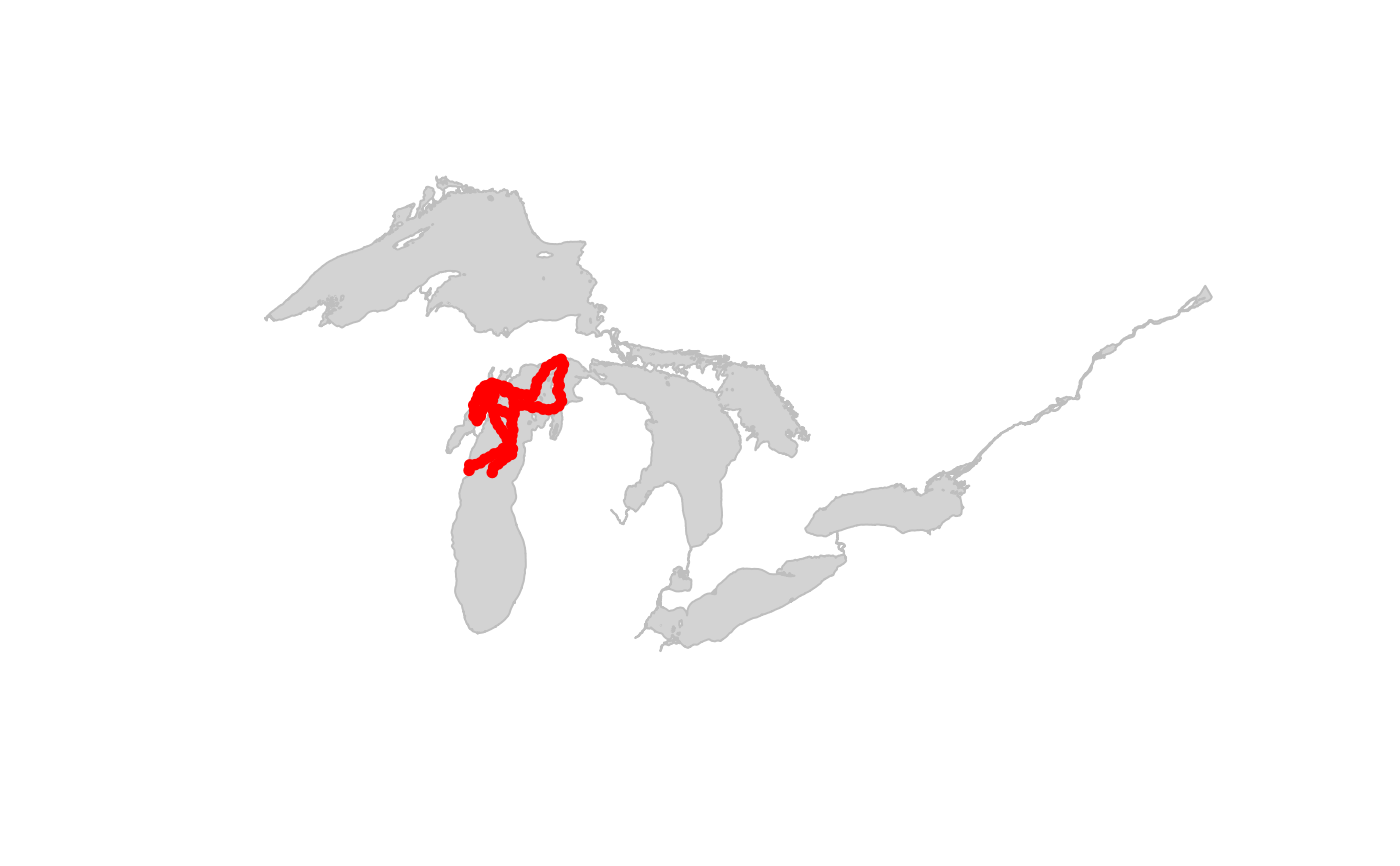
# plot
plot(sf::st_as_sfc(greatLakesPoly), col = "lightgrey", border = "grey")
points(sf::st_coordinates(sf::st_as_sf(path_sp)),
type = "o", pch = 20,
col = "red"
)
 # zoom in
plot(sf::st_as_sfc(greatLakesPoly),
col = "lightgrey", border = "grey",
xlim = sf::st_bbox(path_sp)[c("xmin", "xmax")],
ylim = sf::st_bbox(path_sp)[c("ymin", "ymax")]
)
points(sf::st_coordinates(sf::st_as_sf(path_sp)),
type = "o", pch = 20,
col = "red"
)
# zoom in
plot(sf::st_as_sfc(greatLakesPoly),
col = "lightgrey", border = "grey",
xlim = sf::st_bbox(path_sp)[c("xmin", "xmax")],
ylim = sf::st_bbox(path_sp)[c("ymin", "ymax")]
)
points(sf::st_coordinates(sf::st_as_sf(path_sp)),
type = "o", pch = 20,
col = "red"
)